6 Product Backlog Examples: Backlog Management Without the Chaos

Product backlog examples aren’t pretty screenshots for product managers to admire. They’re the difference between a team humming along with clarity and one stuck in a fog of confusion, feature bloat, and “what are we working on again?” meetings.
I’ve run product backlogs every which way over the years: from beautiful dynamic boards to horror-show spreadsheets with 300+ half-forgotten tickets.
This article breaks down how to actually see and use your backlog for what it’s supposed to do: create order, enable strategic focus, and ship the right things. I’ll cover six real product backlog examples, the best practices that hold them together, and the anti-patterns to avoid.
What is a product backlog?
A product backlog is an evolving, prioritized list of ideas, features, bug fixes, and improvements for your product. It serves as your team’s single source of truth for what could be built next, and why. Unlike a static requirements doc, a backlog is a living guide to product opportunity, constantly shaped by customer needs, feedback, and strategic vision.
A product backlog isn’t a dumping ground for “all the things we might build one day.” It’s the dynamic, always-changing brain of your product team. If you’re in an Agile or Scrum team, the backlog isn’t the same as your sprint board or your product roadmap. The roadmap tells you the direction. The backlog is the fuel for that journey, capturing, refining, and helping you decide what actually moves the needle.
New to backlog management? Check out our in-depth glossary article to get yourself fully up-to-speed
Who is responsible for a product backlog?
Ownership of the product backlog is a team sport, but someone needs to own the game ball. In most product organizations, that’s the Product Manager (PM) or Product Owner (PO). This person is your backlog’s chief curator, keeping it prioritized and ruthlessly pruned so the team can actually make decisions rather than stare at a massive to-do list.
That doesn’t mean everyone else gets to sit out. The best backlogs are collaborative: engineers, designers, customer support, and the occasional loud-mouthed exec should all contribute ideas and insights. But someone (usually the PM or PO) needs to keep it sane: rejecting duplicates, clarifying “what’s this?” tickets, and making sure the highest-impact work floats to the top. Methods like ICE scoring help you keep that prioritization defensible rather than political.
Where should you keep your product backlog?
Not in a spreadsheet on your laptop called “Backlog_v4_FINAL.xlsx”. Your backlog should live in a place that’s:
- Accessible to everyone (not just Product or Engineering)
- Easy to update, sort, and prioritize
- Collaborative (comments, feedback, links, etc.)
- Able to show different views for different questions
For most teams, this means using a dedicated product management tool, or at minimum a cloud-based tracker that’s actually used by the team.
If your backlog only exists in Jira, expect a giant unruly list where good ideas go to die.
Visibility is the key. If stakeholders can’t see what’s on the list, they’ll just make their own. That way lies chaos.
Why does product backlog clarity matter?
Clarity is the whole point. A clear, well-structured product backlog gives you:
- Focus. You’re delivering on goals and solving customer problems, not doing “stuff.”
- Faster planning. No wading through hundreds of stale ideas to find what’s relevant for the next sprint.
- Alignment. Everyone sees what’s important, why, and what’s on deck. The team stops second-guessing priorities.
- Happier stakeholders. When someone asks “why aren’t we building X?” you can show them, “here’s why, and what we’re doing instead.”
- More effective teams. Less time in meetings arguing over priorities, more time shipping value.
A chaotic backlog wastes time and erodes trust in product management. I learned that lesson the hard way.
Product Backlog Examples: How to Actually See (and Use) Your Backlog
Here are six real product backlog examples, organized by the different ways you can view and manage them. Each one answers a different question about your product’s future.
I’ve included screenshots so you can see what each view actually looks like, plus when and why to use each approach.
Product backlog example 1: Ideas linked to Roadmap Initiatives
The “how does any of this connect to our actual strategy?” view. Linking backlog items to Roadmap Initiatives is my go-to way to stop the feature factory madness.
How this product backlog example works:
ProdPad (and some other modern product management tools let you do this too), each Idea in the backlog can be explicitly tied to a high-level Roadmap Initiative or theme. Instead of a flat list, you see groups of ideas under each strategic goal. Suddenly, the backlog is aligned with your big bets, and you can spot which areas are under-stuffed or over-stuffed with ideas.
Why it matters:
- It forces you to answer “Does this idea fit our strategy, or is it an orphan?”
- Makes quarterly planning and stakeholder updates straightforward
- Lets you compare ideas within a theme (“which onboarding ideas should we do first?”) rather than mixing apples and oranges
In ProdPad you can visualize your backlog by Ideas linked to Roadmap Initiatives in a couple of ways.
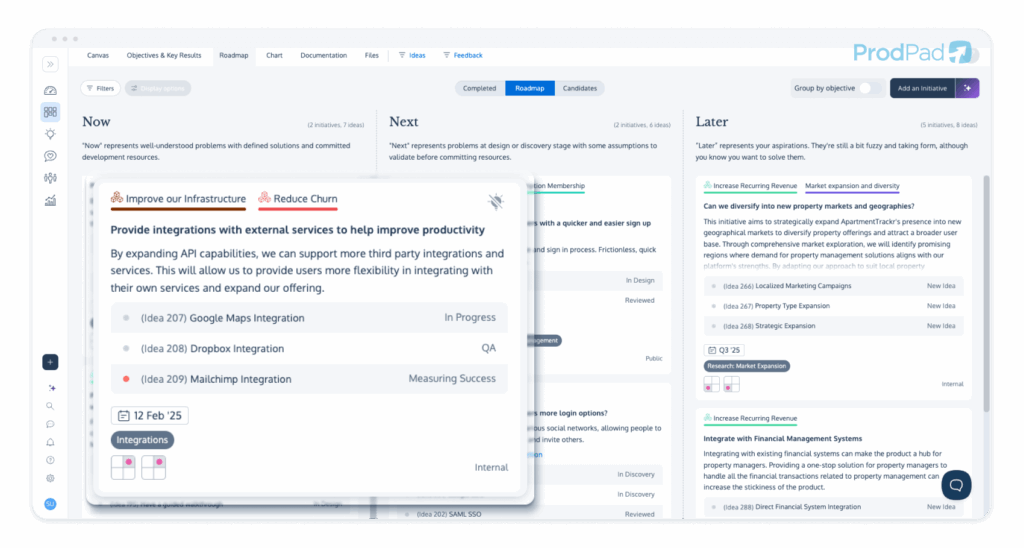
First, you can view your backlog items that have made it onto your Roadmap directly from your Roadmap in ProdPad. With flexible views, you can select the level of detail you want and save an unlimited number of custom roadmap views.
When you want to see your backlog items by the Roadmap Initiatives they’re linked to, one option is to set a detailed roadmap view that displays each related Idea. From there you can click into each idea and access the full record
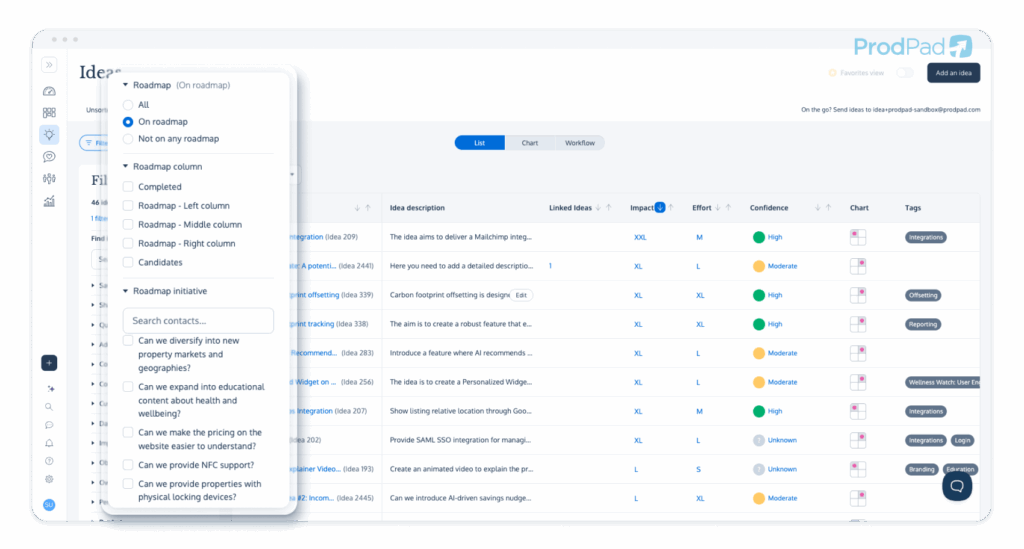
Your second option is to work from a list view of your backlog and filter by “on a roadmap,” “Roadmap column” (to see your backlog by Now, Next or Later status), or by the particular Roadmap Initiative you’re interested in.
See it yourself: Explore the ProdPad Sandbox and try linking Ideas to Roadmap Initiatives
Product backlog example 2: Impact vs Effort
This example is focused on prioritization. You’re viewing your backlog through the lens of what to work on next, or at least ordering your backlog by which ideas are likely the best bets.
If this view matters to you, you can’t assign priority order based on gut feel or who shouted loudest. Impact vs effort is a simple and effective model for this.
In ProdPad, the impact vs effort matrix is a chart view that’s an absolute must for keeping the chaos at bay.
How this product backlog example works:
Each idea is rated by expected impact (how much value) and effort (how much work or cost). In ProdPad, you get a visual chart: X-axis for effort, Y-axis for impact. “Quick wins” (high impact, low effort) are up and left. “Time sinks” are bottom right. It’s much easier to talk priorities when you can see the trade-offs visually. Combine the chart with a scoring approach like ICE and you’ve got a defensible prioritization method that survives scrutiny from stakeholders.
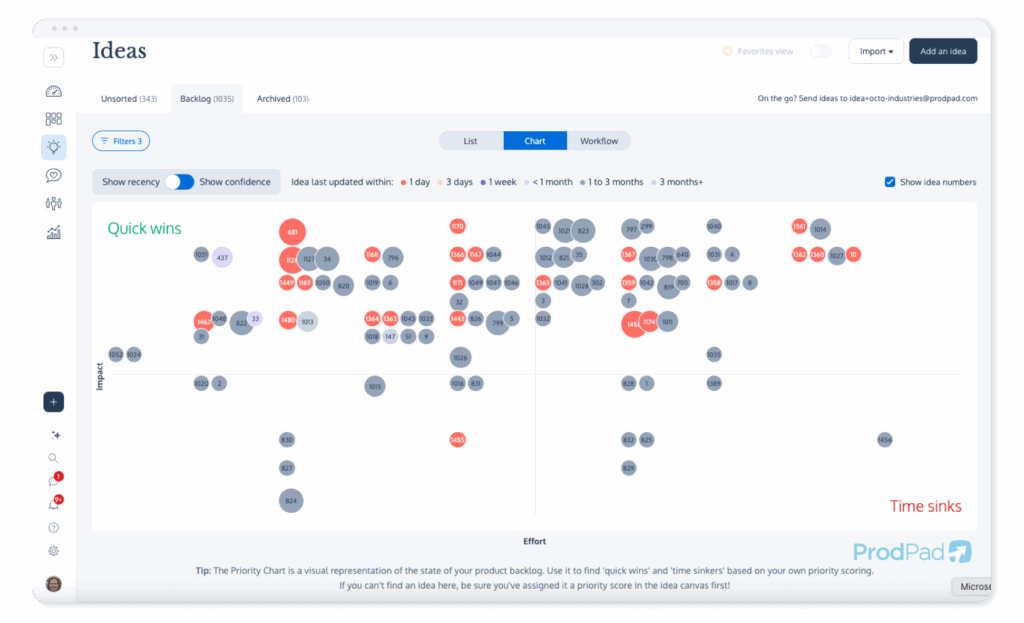
Why it matters:
- Cuts through endless debates because the chart makes priorities obvious
- Reveals low-value time sinks you should de-prioritize or delete
- Empowers objective, defensible prioritization, with no pet projects sneaking in
See what a fully populated Priority Chart looks like in the ProdPad Sandbox environment
Product backlog example 3: Visualized by confidence
I’ve seen too many teams get burned by chasing shiny, high-impact ideas, only to realize nobody knows if the idea is even feasible. Enter the “confidence” dimension.
This view helps you rank ideas by the level of certainty the team has in the technical feasibility, the impact potential, the success of the experiment, and more.
How this product backlog example works:
Every idea gets a confidence rating. How sure are you about its value and effort? In ProdPad, confidence is displayed as colour or a label, and you can filter or sort by it. Risky, unvalidated bets stand out, and you can have the right conversations before committing.
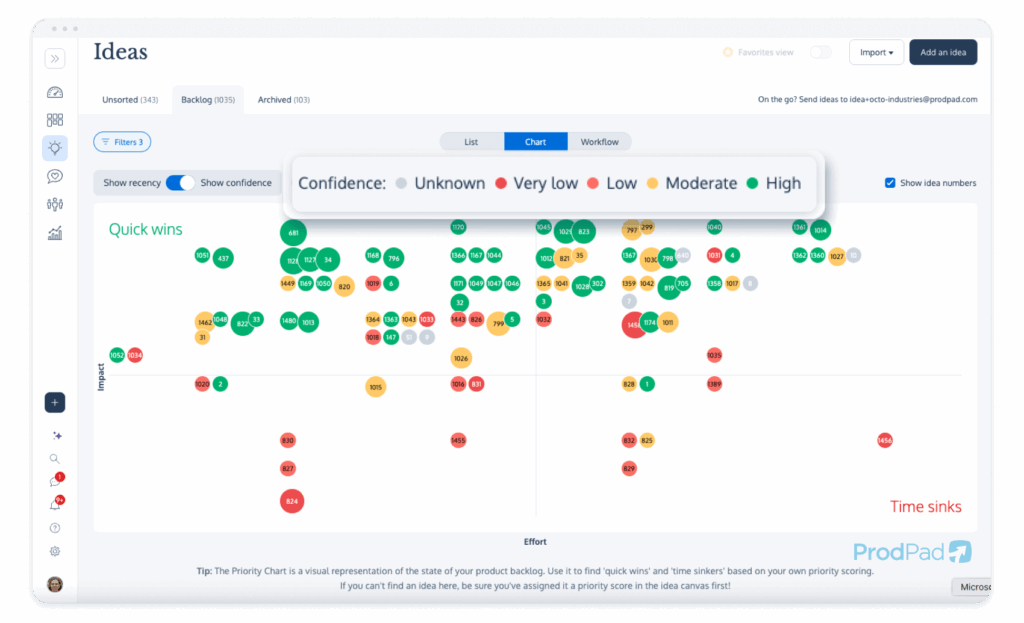
Why it matters:
- Makes “risk” visible in backlog planning
- Helps prioritize discovery and validation work, so you don’t waste dev time on total unknowns
- Avoids the build trap by separating safe bets from wild guesses
Product backlog example 4: Sorted by linked feedback
Show me a team that “builds what customers want,” then show me their backlog. If you can’t tie feature ideas to actual user feedback, you’re guessing.
This isn’t about blindly building feature requests that come in from customers. It’s about evidencing the ideas in your backlog with real customer insight, or creating new ideas for your backlog that are informed by what your customers are telling you.
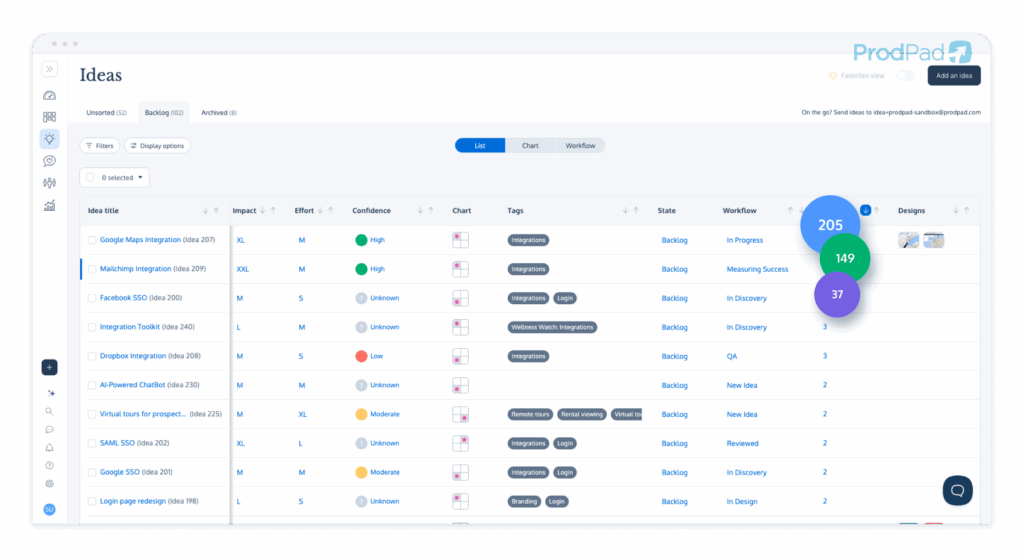
With this view, you’re sorting your backlog by the amount of related customer feedback.
How this product backlog example works:
ProdPad lets you link customer Feedback directly to Ideas in your product backlog. ProdPad CoPilot automatically does this whenever a new Idea is created or new Feedback comes in. You can sort your backlog by “how many customers have this problem or want a solution,” and dig into the actual comments behind each Idea. This is also how you spot patterns you’d otherwise miss, like a cluster of feedback all pointing at the same friction in product onboarding.
Why it matters:
- Data-driven prioritization. You know what’s genuinely in demand
- Makes a strong case to stakeholders (“we’re building Feature X because 40 customers need a solution to this problem”)
- Uncovers patterns you’d otherwise miss
With ProdPad as your customer feedback tool you product strategy is grounded in what your customers need
Product backlog example 5: Kanban/workflow view
A flat list without any status flags is a graveyard for good ideas. Backlogs should show progress, which is why I always use a workflow (Kanban) view when I look at our product backlog at ProdPad.
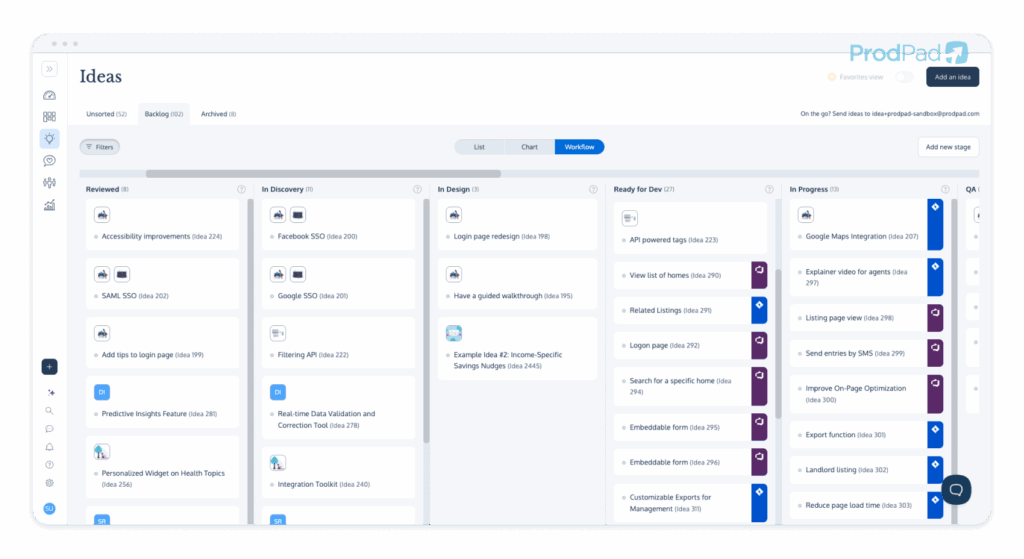
This view is about execution. It helps visualize the flow of your entire backlog: what’s yet to be reviewed, what’s in those pre-development discovery stages, what’s currently in-flight with Design or Development, and what has shipped and is back with you for measurement.
How this product backlog example works:
Each Idea in the backlog sits in a workflow column: New, In Discovery, In Design, Ready for Dev, etc. Drag and drop Ideas as they move through the product process. Instantly see what’s blocked, what’s next, and what’s actually shipping.
Why it matters:
- Makes your product process transparent for the whole org
- Exposes bottlenecks (lots of stuff in Discovery but nothing moving forward? Time to unblock.)
- Helps with standups and stakeholder updates: show, don’t tell
Call out: If you like the look of this product backlog example, you can use our live Sandbox environment to explore this setup complete with a full backlog. Access is free and forever. Play around dragging and dropping Ideas across your chosen workflow stages.
Product backlog example 6: Organized by tags (custom schema)
Sometimes you want to slice and dice your backlog in a way that’s unique to your team or product. Tags are the secret weapon.
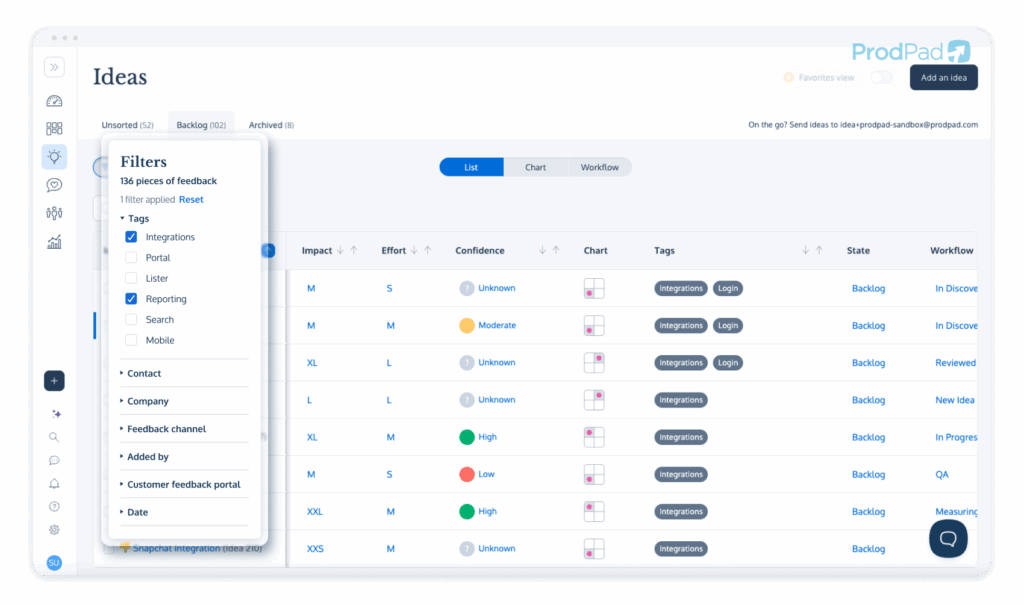
This view lets you create your own custom schema and sort your backlog in ways that make sense for you.
How this product backlog example works:
Apply tags to Ideas (for example: “UX,” “Integration,” “Mobile,” “Tech Debt,” product onboarding, or customer persona tags). Filter and group your backlog any way you want. Be disciplined about your tagging schema, or you’ll create more chaos than you solve.
Why it matters:
- Instantly see Ideas by category, component, or customer type
- Power up planning (“show me all ideas tagged ‘Enterprise’ for this quarter”)
- Uncovers hidden clusters and dependencies
Other Common Product Backlog Examples — and Why They’re Not Great
No article about product backlog examples would be complete without a look at the bad ones. Here are four backlog anti-patterns I’ve seen, and what to do instead.
The Infinite Jira List
It’s the industry meme for a reason. Hundreds of tickets dumped into Jira, most of which will never see the light of day. Without curation and context, it’s a wish heap, not a decision-making tool. Avoid this by ruthlessly archiving low-priority items and only moving validated, prioritized ideas into your dev backlog.
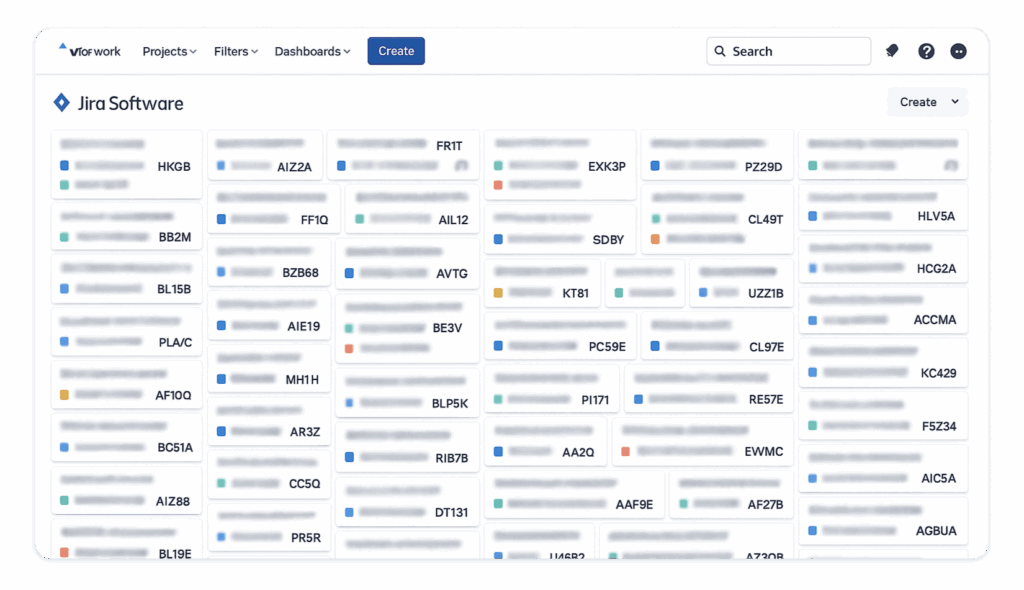
Don’t let your product’s future become a scavenger hunt. If your Jira backlog is unmanageable, you need a real product backlog (in a tool designed for it) and a regular habit of cleaning house.
Luckily we have a Jira Backlog Cleanser tool to help clear the chaos
The Trello Board Dump
Trello can be a decent product backlog example for small teams, until your “Ideas” column balloons to 80+ cards at different levels of detail. There’s no native prioritization, so you end up with a glorified post-it wall.
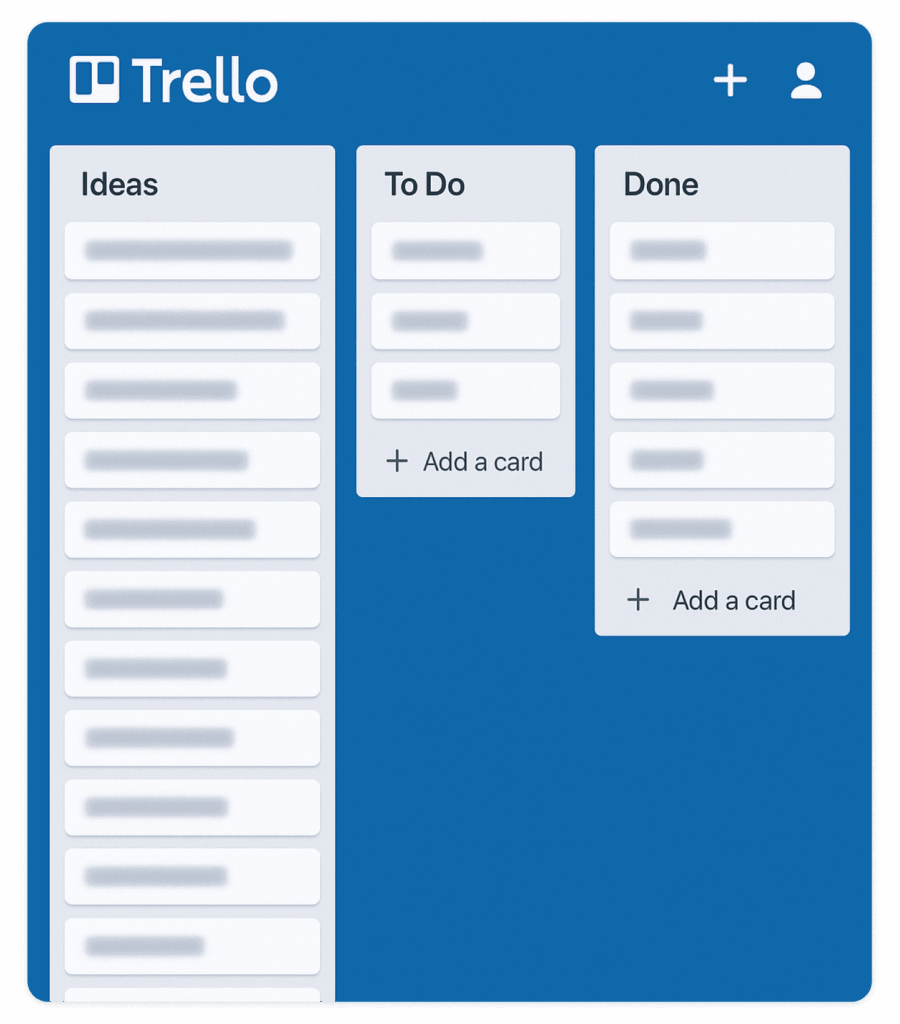
If you’re using Trello, enforce strict workflows and prune the board weekly, or switch to a tool built for product backlogs once your process matures.
The Spreadsheet Graveyard
We’ve all been there. An Excel or Google Sheet with 20+ columns, shared with the team once, never updated again. Collaboration drops off, and the backlog dies a slow death in the Files folder.
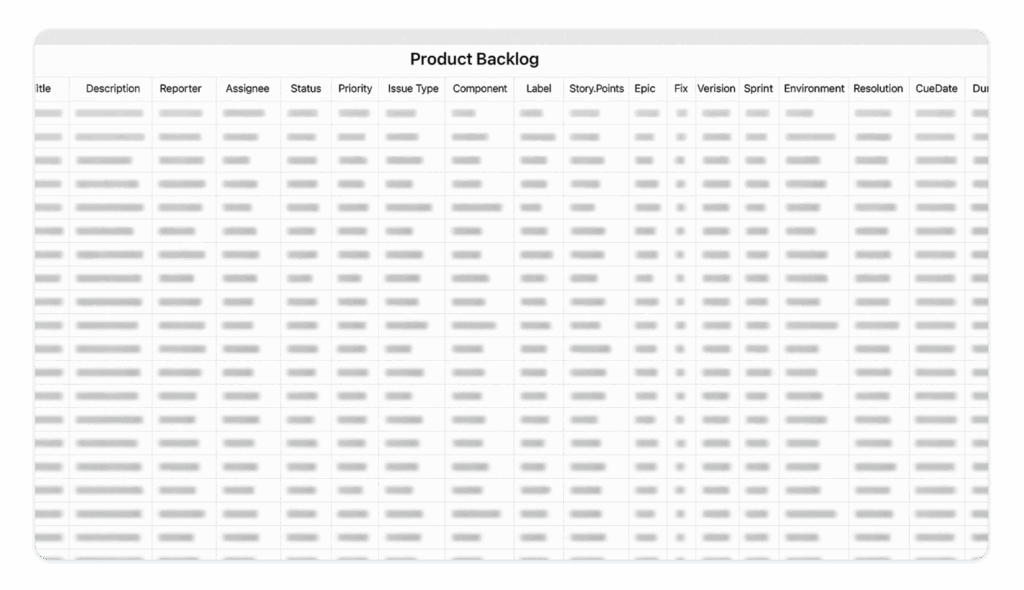
If your backlog lives in a spreadsheet, review it every week in a live meeting, or graduate to something that supports real-time collaboration and smarter filtering.
Over-Engineered Weighted Scoring
A fancy formula that spits out a “priority score” for every backlog item seems like a good idea. In reality, it often gives a false sense of precision and causes teams to game the numbers. Use scoring lightly as an input, not the answer.
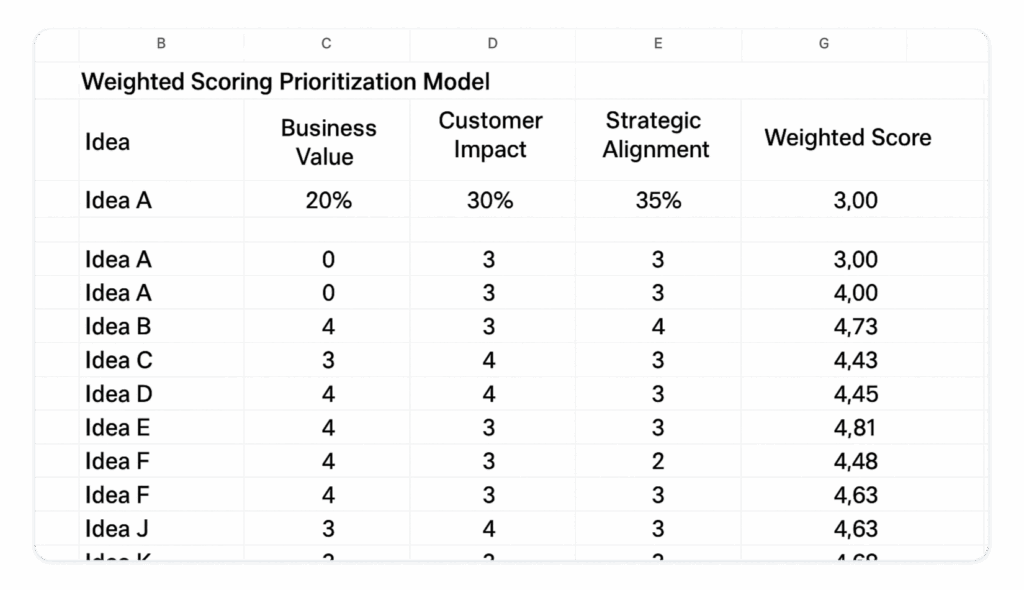
Let scoring inform your judgment, not replace it. Use visual and collaborative views (charts, feedback, tags) to supplement your decision-making.
Product Backlog Management: Best Practices (From the Trenches)
Six hard-won rules for keeping your backlog clear and useful, whatever tool you use:
1. Groom your backlog regularly
Set a cadence (weekly, biweekly, monthly, whatever works). Archive or delete items that are stale or irrelevant. Your backlog should be lean, not bloated.
2. Tie every idea to a goal or customer problem
If you can’t answer “why is this here?”, it shouldn’t be. Link ideas to roadmap themes, objectives, or OKRs for instant context.
3. Prioritize by value, not volume (or politics)
Don’t let the loudest voice in the room set your priorities. Use charts, scoring, and feedback, but always sense-check with your own judgment and customer research.
4. Use views that match your questions
Lists are fine for some tasks, but try chart, workflow, feedback, and tag-based views to answer different prioritization and planning questions.
5. Make your backlog collaborative and transparent
Share it with your team and stakeholders, and encourage contributions. A clear backlog isn’t just for the product team. It’s for everyone who cares about your product’s future.
6. Use the right tool for your stage
Small team? Trello or Google Sheets might work. Scaling or cross-functional? Time to upgrade to a product-specific tool like ProdPad.
A Backlog is Only as Good as The Decisions it Helps You Make
Your product backlog is more than a to-do list. It’s the blueprint for your product’s success. Whether you’re linking ideas to initiatives, plotting them on a priority chart, filtering by customer demand, or dragging them across a Kanban board, the right product backlog example is the one that helps you make better decisions, faster.
A clear, flexible, and transparent product backlog will make your team more focused, your stakeholders happier, and your customers better served.
Give your backlog the home it deserves